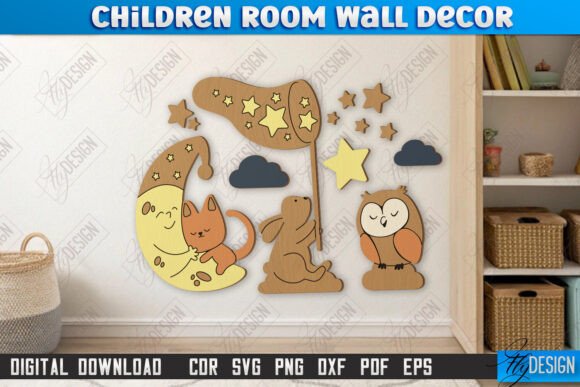
CNC Laser Cut Kids Room Wall Décor
Transforming a child’s bedroom into a whimsical sanctuary often hinges on the details. While paint colors and furniture sets provide the foundation, it is the personalized wall art that truly defines the space’s character. Children Room Wall Décor Laser Cut CNC files offer a unique intersection of digital precision and tangible warmth, allowing creators to produce high-impact visual elements with relative ease. Whether you are a hobbyist crafter looking to personalize your own home or a small business owner expanding your product line, understanding the nuances of these digital assets is crucial for achieving professional-grade results.
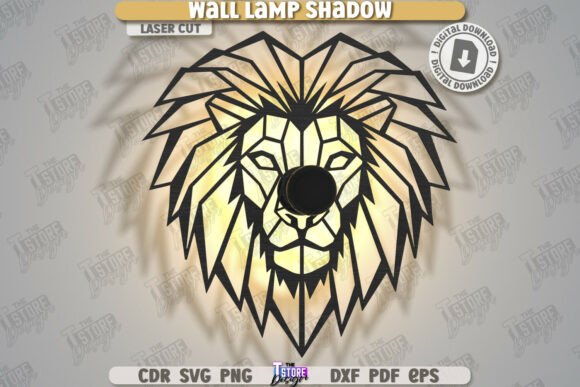
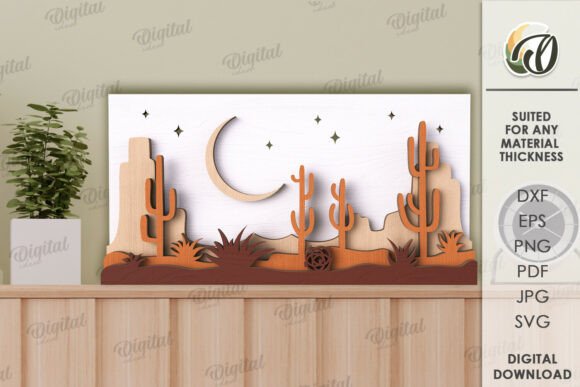
This specific type of décor relies on the clean, crisp lines achievable through computer numerical control (CNC) routing or laser cutting. The appeal lies in its versatility. Unlike mass-produced prints, laser-cut wood or acrylic pieces add depth, shadow, and texture to a flat wall. The design typically features playful motifs—animals, stars, names, or fantasy elements—that resonate with the imaginative nature of childhood. When executed correctly, these pieces become focal points that anchor the room’s theme, offering a sense of permanence and custom craftsmanship that stickers or posters simply cannot match.
Understanding the Digital Asset and File Compatibility
At the core of this creative process is the digital file itself. The product in question is a comprehensive digital package designed specifically for compatibility with most modern cutting machines. It includes a zip archive containing five essential file formats: SVG, EPS, PNG, PDF, and DXF. This variety ensures that regardless of your hardware or software preference, you have a viable entry point for production.
For those using standard vector editing software like Adobe Illustrator or CorelDRAW, the SVG and EPS files are ideal. They maintain scalability without losing resolution, allowing you to resize the design from a small nightlight accent to a large feature wall piece without any pixelation. The PDF serves as a reliable reference for manual adjustments or printing templates, while the PNG provides a rasterized preview useful for mockups or social media promotions.
However, a critical technical consideration arises for users of Lightburn, a popular software for laser cutters. Experience has shown that Lightburn can sometimes distort the dimensions of SVG files during import. To mitigate this risk and ensure your final cut matches your intended measurements precisely, it is strongly recommended to use the DXF file format. DXF files tend to retain dimensional integrity more reliably within the Lightburn environment, saving you from material waste and frustration. Always verify your machine’s compatibility with these formats before beginning a large batch of cuts.
Design Logic: Interpreting Cut and Engrave Lines
One of the most practical aspects of this digital product is its clear visual coding for machine operations. The design utilizes a straightforward color-coding system to distinguish between cutting paths and engraving areas. Red lines indicate where the laser or CNC bit should cut through the material completely. These lines define the outer silhouette and any internal cutouts, such as the spaces between letters or intricate design details.
Conversely, black lines denote areas meant for engraving. Engraving adds surface-level detail without cutting through the material, creating subtle textures or shading that enhance the visual depth of the piece. This distinction is vital for efficient workflow. By separating these operations, you can optimize your machine’s speed and power settings for each task—using higher power and slower speeds for cuts, and lower power with faster speeds for engraving. This not only improves the quality of the finish but also extends the lifespan of your laser tube or router bits.
Applications Beyond the Nursery
While the primary application is clearly within the realm of Children Room Wall Décor Laser Cut Nursery Décor, the utility of these CNC files extends far beyond a single room. For entrepreneurs and designers, these assets are versatile tools for broader brand identity and creative font applications. The clean lines and playful aesthetics can be adapted for various commercial projects.
Consider the potential for packaging design. A laser-cut tag or box insert derived from these designs can elevate a children’s product brand, adding a tactile element that customers appreciate. In editorial design, elements from these files can be used as chapter headers or decorative drop caps in children’s books or magazines, providing a consistent visual language that bridges print and physical products. Furthermore, for web design and social media graphics, the included PNG files allow for quick integration into digital marketing campaigns, ensuring that your online presence mirrors the physical quality of your crafted goods.
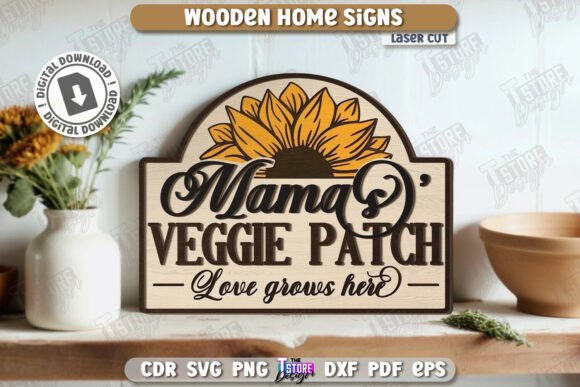
The concept of font pairing also plays a role here. If the design includes typography, such as a child’s name, the style of the letters acts as a display font. It should be paired with simpler, sans serif fonts in accompanying materials to maintain readability and visual hierarchy. This balance ensures that the decorative element stands out without overwhelming the viewer, a key principle in effective logo design and modern typography.
Practical Tips for Material Selection and Finishing
The success of your project depends not just on the file, but on the material you choose. Plywood, particularly birch or Baltic birch, is a favorite for its smooth layers and minimal splintering, making it ideal for both cutting and engraving. Acrylic offers a modern, glossy alternative that works well for vibrant, contemporary nurseries. When working with wood, remember that the engraving depth will vary based on the grain direction; testing on scrap pieces is always advisable.
Finishing is another area where attention to detail pays off. Sanding the edges after cutting removes char marks from lasers or tool marks from CNC routers, resulting in a premium feel. For a natural look, a simple beeswax polish can enhance the wood grain. If you prefer color, acrylic paints work well, but ensure they are non-toxic and safe for children’s environments. The goal is to create a piece that feels handcrafted and safe, reinforcing the emotional connection between the décor and the child’s space.
Finally, communication with the creator is key. If you require a different file type or a specific color variation of the PNG for your branding needs, reaching out directly can often yield customized solutions. This level of support is invaluable for professionals who need specific design assets to meet tight deadlines or unique client requests. By following the shop and staying updated on future releases, you can build a library of compatible designs that streamline your production process and keep your offerings fresh and engaging.