Unlocking Precision: The Ultimate Guide to Laser Cut SVG Bundles for Glowforge and Beyond
In the rapidly evolving world of digital fabrication, the barrier between a fleeting idea and a tangible object has never been thinner. At the heart of this revolution lies the Laser Cut SVG Bundle, a collection of digital blueprints designed to transform raw materials into intricate works of art. Whether you are a hobbyist looking to decorate your home or a professional entrepreneur aiming to scale a small business, understanding how to leverage these files is essential. This guide explores the significance of premium vector bundles, specifically tailored for machines like the Glowforge, CNC routers, and other laser cutters, helping you navigate the exciting landscape of modern crafting.
What Exactly is an SVG Bundle?
To the uninitiated, terms like SVG, DXF, and "vector files" can seem like technical jargon reserved for graphic designers. However, in the context of laser cutting, they are simply the instructions your machine needs to create something physical. An SVG (Scalable Vector Graphic) is a file format that uses mathematical paths rather than pixels to define an image. Unlike a photograph, which becomes blurry when zoomed in, an SVG remains crisp and precise at any size. This scalability is critical for laser cutting, where the machine must follow exact lines to cut through wood, acrylic, or cardstock without error.
A bundle refers to a curated collection of these files sold together. Instead of purchasing individual designs one by one, a bundle offers a comprehensive library—often including hundreds of patterns ranging from geometric shapes to complex floral motifs. For users of the popular Glowforge laser cutter, these bundles are particularly valuable because they are pre-optimized for the machine's specific requirements, ensuring smooth operation and high-quality results right out of the box.
The Versatility of Modern Materials
One of the most compelling aspects of using a premium laser cut SVG bundle is the sheer variety of materials you can work with. The digital file remains the same, but the physical outcome changes dramatically based on what you feed into your machine.
- Wood: From lightweight balsa to rich walnut, wood remains a favorite for its natural warmth and ease of cutting.
- Acrylic and Plexiglass: These materials allow for vibrant colors and translucent effects, perfect for modern signage or jewelry.
- MDF (Medium Density Fiberboard): An affordable option ideal for painting and large-scale projects like furniture components.
- Cardstock and Paper: Excellent for intricate invitations, greeting cards, and delicate paper crafts.
By mastering a single set of SVG files, a crafter can produce a wooden wall hanging in the morning and a set of acrylic earrings in the afternoon. This versatility makes the investment in a high-quality bundle incredibly efficient, allowing creators to experiment with textures and finishes without needing new designs for every material.
From Hobby to Business: The Power of Commercial Use
A common misconception among beginners is that digital files purchased online are strictly for personal enjoyment. However, many premium bundles, such as those found on platforms like Creative Fabrica, come with a Commercial Use License. This is a game-changer for aspiring entrepreneurs. It grants you the legal right to sell the physical items you create using these designs.
Imagine creating a line of bespoke wedding decorations, custom gift boxes, or unique lampshades. With a commercial-use SVG bundle, you can manufacture these items and sell them on marketplaces like Etsy, at local craft fairs, or through your own website. The "Endless Possibilities" mentioned in product descriptions are not just marketing fluff; they represent a viable business model. By utilizing professional-grade files, you ensure that your products look polished and high-end, which is crucial for building a reputable brand.
Practical Applications in Daily Life
Beyond commerce, laser cutting has found a profound place in daily life and education. Teachers use these bundles to create tactile learning aids, bringing geometry and history to life through 3D models. Interior designers utilize geometric and rattan-style SVGs to craft custom room dividers and lighting fixtures that would be impossible to make by hand. Even event planners rely on these files to produce cohesive, themed decor for weddings and corporate events.
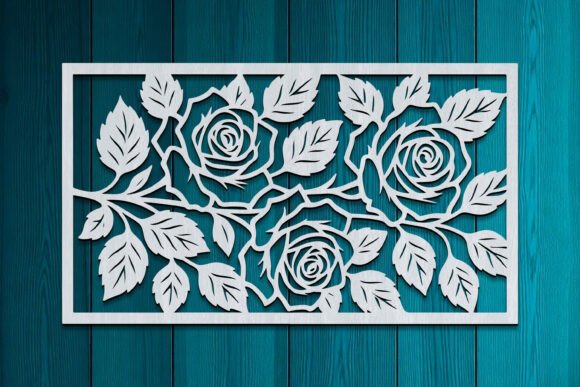
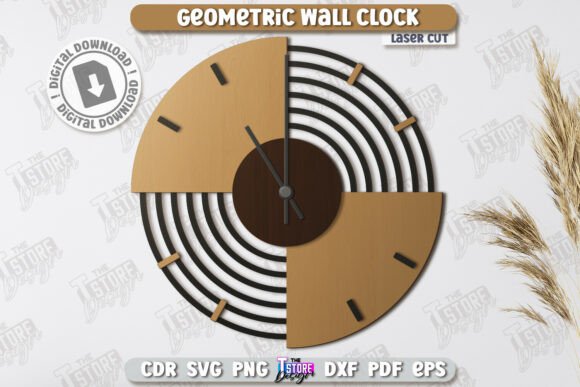
For example, a geometric SVG pattern can be scaled up to create a stunning feature wall in a living room or scaled down to become a set of coasters. A floral design might serve as the template for a mother-of-the-bride's jewelry or a decorative box for a baby shower favor. The adaptability of these files means that your creativity is the only limit, not the technology itself.
Why Choose Premium Over Free Files?
The internet is flooded with free SVG files, so why invest in a premium bundle? The difference often lies in quality, support, and usability. Free files are frequently created by amateurs and may contain errors such as open paths, overlapping lines, or incorrect scaling. These issues can cause a laser cutter to stall, burn the material, or produce a jagged edge.
In contrast, a Premium Laser Cut SVG Bundle undergoes rigorous testing. The vectors are clean, closed, and optimized for specific machine settings. They often include multiple file formats (SVG, DXF, PDF) to ensure compatibility with various software programs like Adobe Illustrator, CorelDRAW, or the native Glowforge app. Furthermore, premium bundles usually offer customer support and regular updates, providing peace of mind that your investment is secure.
Getting Started: Instant Download and Creation
The beauty of the digital age is immediacy. Once you purchase a bundle, the process is seamless. You receive an instant download, allowing you to start crafting within minutes. There is no waiting for shipping, no inventory to store, and no physical tools to buy beyond your laser cutter and materials.
- Download: Purchase the bundle and save the ZIP file to your computer.
- Unzip and Import: Extract the files and import your chosen SVG into your laser cutting software.
- Material Setup: Place your wood, acrylic, or cardstock into the machine bed.
- Cut and Assemble: Send the job to your laser cutter, wait for the precision work to finish, and assemble your creation.
This streamlined workflow empowers users to iterate quickly. If a design doesn't look quite right in pine, you can immediately try it in cherry wood or clear acrylic without additional cost or delay.
Elevating Your Creative Journey
Ultimately, a laser cut SVG bundle is more than just a folder of files; it is a catalyst for creativity. It bridges the gap between digital design and physical reality, enabling anyone with a vision to bring it to life with professional precision. Whether you are decorating your home, teaching a class, or launching a product line, these tools provide the foundation for extraordinary results.
By choosing a comprehensive bundle designed for Glowforge and other leading cutters, you equip yourself with the resources needed to explore intricate rattan weaves, bold geometric structures, and delicate floral arrangements. The journey from a simple download to a breathtaking finished piece is short, satisfying, and endlessly rewarding. So, why wait? Dive into the world of laser cutting, unleash your potential, and craft something truly extraordinary today.